
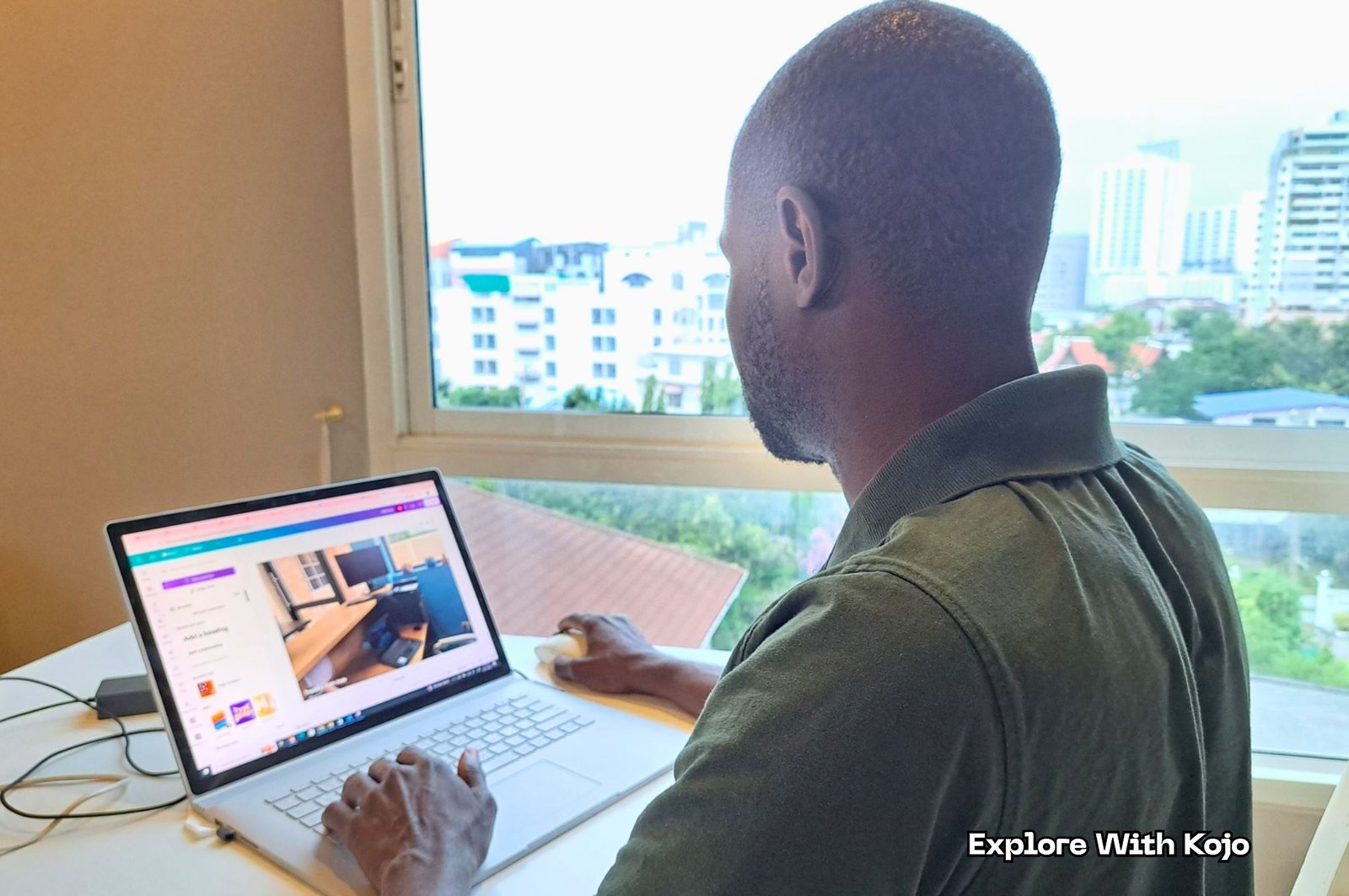
My Remote Work Setup for 2025 (Simple & Budget Friendly)
Living the life of a digital nomad is a common fantasy amongst working adults. The dream often revolves around having the freedom to go anywhere you choose, while simultaneously maintaining a respectable salary. Being able to work in your underwear is the pinnacle of occupational independence. But every fantasy is perfect until it becomes a reality. Any job, even a remote one, is still a job. Bossman may be cracking his whip from afar, but the whip is still being cracked nonetheless.
So being a digital nomad isn’t a license to slack off. To the contrary, in order to perpetuate this lifestyle you should go the extra mile to impress your employers. So in this post I will highlight, based on my own experiences, how to stay productive when you have complete autonomy over your own work setup.
INTRODUCTION
I was born and raised in the United States – New York City to be exact – but decided to expatriate to Ghana, West Africa a few years back. There are many work-related challenges when it comes to surviving in this part of the world. But I’ve been lucky enough to work primarily as a digital nomad and have experience doing so for over 15 years.
A proper work setup matters not only when it comes to productivity but also because, there’s no use being a digital nomad if you’re stressed out all the time. There’s still deadlines you have to meet, and sometimes you may develop a backlog. So your workplace needs to be constructed in such a way that you can complete assignments expeditiously, even amidst the ever unforeseen distractions that come with traveling while working.
As a conventional employee, it’s your employer’s job to make sure you’re set in a work-conducive environment. As a digital nomad, your work environment, equipment, time management, etc. are most often your own responsibilities. And you have to be committed and mature enough not to disappoint your boss without him or her being directly over you.
WHAT MAKES A GOOD REMOTE WORK SETUP?
COMFORT
Comfort is at the top of the list of every digital nomad. If not for the longing of a higher degree of comfort, most of us wouldn’t bother going down this road.
Comfort, if embraced maturely, lends to a higher degree of productivity. If however put in the hands of a child, you’ll end up spending more time playing videogames, watching movies or browsing than working. There’s a child in all of us, and trust me, we’ve all been there as digital nomads. That’s the gift of this lifestyle but also its potential downfall.
You ever see those athletes who are like ‘please sir, coach me harder’! They probably wouldn’t make good digital nomads, if you need someone to push you to work.
PROPER EQUIPMENT
In a conventional office, top-notch equipment is usually laid out for you at the employer’s expense. As a digital nomad, you have to keep yourself in the game. There’s a lot of competition out there, so you don’t need to be falling behind.
INTERNET RELIABILITY
One all-important factor that you often can’t control directly is access to quality internet. If you’re reading this from somewhere like Big City USA, chances are online speed and reliability aren’t much of an issue. But once you start venturing to the outskirts, even some capital cities abroad may have internet issues.
What this means is that you’ll probably be spending more on the internet than average residents. In extreme cases, you may even have to pack up and relocate to an area where connectivity is better.
LIGHTING
Lighting can be an issue, especially if you’re the type who prefers to work outside. For instance, I once spent a couple of months working from a beach. Every digital nomad’s dream, right? But once the sun goes down, the lighting situation isn’t ideal. And that’s besides the other distractions you experience in those types of settings.
Lighting from laptops or handheld devices may be generally sufficient, but it isn’t always ideal. That’s especially true if you find yourself trying to meet deadlines while fighting off drowsiness. Maybe you have to pop out of bed and immediately get to work – no time to brush your teeth, answer nature’s call or anything.
You’re in your drawers, not even having to step out of the bedroom, and everything is perfect, right? Not if you’re dozing in and out at the same time. So you have to make sure that lighting is always sufficient to keep you awake, alert and productive – not an easy thing to do as a digital nomad, as we tend to prefer subtle chillin’.
ENVIRONMENT
Environment can be just as important in this game as equipment and internet connectivity. Seriously. Everything else can be perfect, but if the environment isn’t conducive for work, then you might as well fuggetaboutit.
Sometimes, you may get away with working from a beach, bar, internet café or other settings that digital nomads gravitate to. But if you’re engaged in serious, thought-provoking work, the likes of noise pollution, external conversations and other distractions (including the opposite sex) need to be kept to a bare minimum. That’s why a lot of these work-from-home people don’t thrive, because being around your family and homeys can be as distracting as anything.
MY CURRENT WORK SETUP

My actual remote work corner in Ghana, which is proof that you don’t need a high-end studio to stay productive on the move.
DESK
I prefer to work from a desk. Desks are made for typing, so to speak. But as a digital nomad, you may find yourself typing on a table, your lap or any other surface that’s readily available.
Most tables aren’t ideal, as they’re too short to type comfortably. And the same goes for your lap, if you’re going to be on the computer for an extended amount of time.
Thankfully, I have access to a desk where I’m currently situated. This is a luxury not to be taken for granted, as I may be relocating soon and, if no proper desk is available where I’m going, burdened with purchasing one.
CHAIR
Chairs of the proper height and comfortability are also very important. Most hotel rooms have a chair and desk by default. But the people who make these purchases aren’t usually doing so with digital nomads in mind.
Based on my experiences in Ghana for instance, hotels are used more for reproduction than production, if you know what I mean. Owners are well aware of this and therefore aren’t designing rooms that are genuinely conducive for work. A hotel room may have a desk and chair alright, but both being dilapidated or inadequate to the point that they’re more hurtful than helpful.
So as I move around, I often find myself losing and then having to replace work furniture. This is often a necessary burden when you’re a digital nomad.
LAPTOP/ACCESSORIES
Besides a laptop and of course a modern smartphone, the one accessory I always make sure to have is an external keyboard. Some laptops are pleasant to type on, as in the keys being more buoyant. But as someone who learned how to type on a conventional, full keyboard, those are the kinds I prefer.
Full keyboards have easier access to Page Up, Page Down, Home, End, the number pad, etc. Those keys are essential to expeditious typing, especially if you’re doing data entry. And with that said, an external mouse can also be beneficial.
MONITOR
I also prefer to use an external monitor, when one is available, in addition to my laptop. If I’m in a hotel, I usually connect the laptop to the television via HDMI. This isn’t always ideal, if the TV is positioned in such a way, as it most often is, that you can’t comfortably situate a desk and chair in front of it. But having dual monitors is handy when you’re doing research-based assignments, i.e. one screen for typing and the other for reading.
MICROPHONE/WEBCAM
I’ve done video-based remote work. But even if you don’t receive such tasks, you may find yourself having to liaise with your employer or other stakeholders via webcam.
The good news is that the webcam and microphone already built into contemporary laptops is usually good enough to get the job done. Well, that’s true if you aren’t tasked with a hardcore video assignment. If however you’re producing content to be uploaded to social media, usually you’d want to go beyond a built-in camera/mic. I recently had such a job, and the employer went out of his way to purchase some high-priced video equipment, including a green screen.
Generally speaking, as a digital nomad you’d want to have a phone or laptop that is above average when it comes to facilitating video-based communication. Video is the medium by which a lot of people, including many employers, prefer to communicate through these days.
LIGHTING
The sun is undoubtedly the best source of light there is. However, sunshine isn’t always ideal in this line of work, due to how it interferes with computer screens. Internal lighting may be preferable (and absolutely necessary at night), though sunlight with proper shading is also uplifting. Either way, you would always want some adequate lighting available, besides the device you’re using to work.
POWER BACKUP
The electricity situation in Ghana has improved throughout the years, but you never know. Even power grids in the U.S. and Europe are lacking juice these days. According to Murphy’s Law, the lights can go off at any time. And if you’re struggling to meet a deadline, being devoid of electricity can be an absolute nightmare, as if Freddie Krueger himself came and flipped the switch.
So the devices you use must have strong batteries where applicable. It’s also preferable to carry along backups, like power banks, that can charge a phone or laptop. There’s a higher degree of uncertainty and risk that comes along with being a digital nomad. And employers, concurrently dealing with their own stress, aren’t always understanding when you experience technical or even power issues.
BUDGET FRIENDLY REMOTE WORK SETUP OPTIONS
SIMPLE SETUP (UNDER $200)
At the heart of all remote work lies the laptop. Some people may argue otherwise, that they prefer to labor through tinier handheld devices. Devices like those that may actually get the job done tend to be expensive besides having other drawbacks, such as smaller screen size and being easier to lose.
If you know where to look, you should be able to get a workable laptop for less than $100. It may not be brand new but again, adequate enough to get the job done.
Besides that, the other basic essentials at least include a proper desk and chair. A really good chair can be expensive, but in the meantime you may start off with a plastic one.
If you already have access to a table that’s of typing height, so be it. If not and you decide to go ignore that disadvantage, then you should expect to do a lot of crouching while using your laptop or smartphone. That will then result in back pain, which can cut your career in digital nomadism short.
Plastic tables are also an option. But the really cheap ones aren’t ideal, and it has nothing to do with functionality. Rather, there’s something about continuously typing on top of a low-cost plastic table that just doesn’t feel right, almost as if you’re being too frugal. So those are the three main purchases – laptop, desk and chair – all of which you can upgrade later if you want.
STRONGER SETUP (UNDER $500)
If you decide to invest more money in your setup, there really isn’t a need to spend a lot on a laptop. When it comes to computers, I’m not a big fan of making it rain in the name of purchasing a brand-new one, as they can also have issues. I’d rather buy one that I know is working and costs less, as I’ll inevitably have to make repairs, whether it’s new or used, anyway.
With a $500 budget, it’s advisable to invest more in a proper desk and chair than splurging on a computer. It isn’t always wise to cough a lot for a desk, not if you’re moving around a lot and can’t carry it. But at least get one of a proper height that’s pleasant to look at, as you’ll be spending significant time gazing at it, whether you realize it or not.
As for the chair, get a sturdy, comfortable one that’s also foldable, thus making it easier to carry. You can find the likes of lawn chairs that fit the bill. The downside is that these types tend to have too much incline in the back section. But since you have more money to spend, you may find one that’s adjustable for proper typing.
You may come across nice desks and chairs that are shorter than the average typing height. Based on my experiences I wouldn’t purchase those, regardless of how appealing they may be, unless you’re also a shorter person.
With more money in hand, you can also go about buying an external webcam. Webcams aren’t usually expensive, but the good ones may cost a bit.
A better option, when it comes to producing video, is to purchase a smartphone with a quality camera, if you don’t already have one. Even if the mic isn’t the best, buying a microphone doesn’t really cost much and is even a good idea if you’re going to be doing a lot of video-based work.
Noise-cancelling headphones are also a moderately-priced option that meshes well with digital nomadism. I never personally used any in the name of minimizing distractions while working. I’d rather just avoid the source of the noise altogether, even if it means constantly moving. But just getting up and bouncing isn’t always an option. And in hindsight, I wish I had this idea earlier and will definitely utilize it in the future.
LED desk lights are cool, especially the stylish types. I prefer the ones that look technologically advanced. For some inexplicable reason, glancing at those types of items inspire me to work. We all have our own preferences, but you’ll undoubtedly find a desk or portable lamp that tickles your fancy. During those long days and nights of remotely working your life away, you’ll need all the inspiration you can get.
There’s also other accessories and peripherals that can be beneficial, like an external keyboard, mouse and even a monitor, if they fit into your budget. Another somewhat unrelated item I’ve found useful is those portable electric kettles, the type of which can fold down into a small, easy-to-carry unit. Access to hot water and subsequently coffee, tea and cocoa can prove invaluable in so many ways. There’s nothing like a caffeine or sugar rush to induce an instant, albeit short-lived, burst of energy to get a resilient task done.
REMOTE WORK SETUP FOR DIGITAL NOMADS
Make no mistake – being able to work from wherever you want is a blessing. It’s cool AF, comical even, to see your comrades grudgingly heading off to work in the morning, while you’re in pajamas making money from your bedroom. But in this game, not all setups are equal. And the cardinal rule of digital nomadism is not to let yourself become so relaxed that it negatively affects productivity.
CAFÉS
Cafés are cool work settings, if they’re selling high-speed connectivity or if they’re situated in an area where you can readily purchase it yourself. It’s also somewhat common in these places to be surrounded by other people who are looking to pull money off the web. In some cafés, you may even find lasting friends in similar lines of work. That can prove essential when for instance you need companionship to help keep you up and computer active late into the night.
The downside is that cafés can be replete with noise and other distractions. That often includes some major annoyances, such as loud music, unignorable interpersonal disputes or someone in the venue that you’re really, really attracted to.
Unless I’m familiar with other patrons or the staff, I prefer to keep my work setup to a minimum in cafés. If, besides a laptop, I decide to carry a phone and other peripherals, that’s more items I have to keep an eye on to make sure nobody steals it or that nothing gets damaged, if someone spills a drink for instance.
Fortunately in Ghana, petty theft isn’t particularly common, especially, to reiterate, if you’re familiar with the people around you. But not every place is like that, and security is a more of a concern when you’re working remotely.
CO-WORKING SPACES
Unlike conventional cafes, at co-working spaces everyone present is there, in theory, to get their grind on. So there aren’t as many distractions. And since everyone is presumably employed, you may feel freer to let it all hang out as far as devices and peripherals are concerned. That’s especially true if you notice that the place has good security.
TRAVELING
I don’t like working while literally being on the road. If I’m in a motor vehicle, the streets may be too bumpy, especially in Ghana, to comfortably type or even speak on the phone. And if I’m in an airplane, I suffer from a fear of flying so pronounced that it doesn’t allow me to do anything except continually pray that the plane doesn’t crash. That’s besides the high potential of being distracted by other passengers, regardless of what type of vehicle you’re in.
Sometimes, I’m forced to work while on the road nonetheless. Under those circumstances, I prefer to minimize even more than when I’m in a café. On the road, you usually have to work from your lap or a small, foldout table. So the idea of concurrently juggling a laptop, external keyboard, headphones, etc. is out of the question. Less is often more in the world of digital nomadism.
SMALL APARTMENTS / HOTELS
The downside of working from hotels, particularly in Ghana, is that a lot of them are noisy. In this part of the world, it’s common for hotels to also act as bars/nightclubs and to even do so on a 24-hour basis. Those that don’t are often situated near such an establishment nonetheless. Meanwhile, noise pollution laws are very rarely enforced. So if you’re stuck in such a hotel and can’t do your work to the rhythm of the night, you’re going to develop some serious stress.
Small apartments are preferable in that first of all, it may be easier to find a place that’s quiet. Secondly, there aren’t as many security concerns, as you have more control over who has access to your room. Thankfully, I’ve never had anything of mine stolen from a hotel room. But I know people who have and, even if they are able to reclaim their possessions, it’ll take at least a full, distraction-filled day to do so.
In a small apartment, it’s also more allowable to position or purchase furniture as you choose. Hotels though have the advantage in that they feature more diverse people. As a digital nomad, it isn’t ideal to live like a hermit, as there’s also a plethora of distractions on the internet itself.
Either one of these options is preferable to working from a café, co-working space or on the road. As a digital nomad, it’s imperative to have access to a work environment you control. Cafés and co-working spaces are good when you feel like being around people. But when you’re engaged in serious tasks, the less distractions the better.
Small apartments and hotels are also such that you can usually layout all of your devices and peripherals with minimal security concerns. Always being on the road, constantly packing and unpacking, never settling anywhere for more than a couple of weeks, I’ve met some digital nomads who prefer to live like that, but they usually aren’t the more serious ones. Those of us who are committed to producing quality content know that the goal is to emulate a standard work environment from home, albeit devoid of annoying colleagues and uninspiring commutes.
REMOTE WORK ENVIRONMENT TIPS

LIGHTING
We’ve already touched on the importance of lighting, so I won’t beat a dead horse. The conclusion here is to make sure you have an extra, easy-on-the-eyes’ source of light, besides the screen(s) you’re using to work.
MINIMIZING DISTRACTIONS / NOISE CONTROL
External distractions are more or less out of our control. As long as there’s people around, noise and other instances that take away our attention are unavoidable.
For instance, back in the day I was fortunate enough to find myself in this cool, affordable guesthouse. But unfortunately, it was situated right next to an extremely noisy church. It’s a moral dilemma, finding yourself at odds with revelers who’re disturbing the peace in the name of honoring a higher power. But some worshippers are borderline sinful in that regard.
I knew that on Sunday mornings, I had to deal with it. But oftentimes, they’d worship on weekdays (and nights) also. Or they’d throw a program that lasts an entire week straight. And I’m sitting there thinking like, do you really need to scream into a microphone to get God’s attention? But like digital nomads, preachers have to hustle also.
The situation ultimately got to a point where I simply couldn’t work while church was going on. It proved to be a major inconvenience, especially when facing deadlines. It’s hard to explain to your employer ‘I can’t work right now, sir. The church next door is going at it again’.
The tricky thing about this tip is that you can’t always ascertain a locality’s propensity for noise pollution from a single, cursory visit. You go there in the daytime and are thinking ‘this place is like heaven’. But in the nighttime, all hell can break loose.
And the same goes for apartments. I rented a house once after a single visit, hastily concluding that the place was adequate. But after moving in, I came to realize that the house next door had a serious domestic violence issue. And it’s impossible to work while someone around you is crying in distress.
But as a digital nomad, you have to do the best you can. If you knowingly decide to settle someplace with loud speakers, noisy kids, rowdy neighbors, annoying animals, etc., okay. We aren’t afraid of challenges. But for those circumstances to catch you off-guard is one of the worst parts of being in this line of work.
BACKGROUND FOR VIDEO CALLS
If you’re creating video-based content, background matters. This is something to keep in mind as you settle on a workspace.
I was once creating video content whereas the employer preferred scenic indoor backgrounds, like paintings and things of the such, situated behind me. Such criteria can be a big problem if you find yourself in a space where the walls are all monotone or completely bare.
As for creating video content outdoors, that usually isn’t ideal due to ambient noise. If you opt to do so anyway, your audio-recording equipment needs to be top notch. Or you need to pick a relatively-quiet spot for recording.
DAILY ROUTINE
You ever heard that adage “the more things change, the more they stay the same”? You’re going to feel that way at times as a digital nomad. ‘I don’t have a conventional 9 to 5. So why do I find myself unhappy like this’? If you’re disorganized, you’re going to be dealing with all types of labor-related stress.
In fact, it’s even more important to be organized as a digital nomad. For instance, imagine checking out of a hotel – even relocating to a different city altogether – and later realizing you left an important piece of equipment behind. That may even be something as inconspicuous as a cable. Under certain circumstances, replacing an important cable can be a real annoyance or even impossible.
So a daily routine is advisable. And I don’t mean in terms of what time you eat or how many pushups you do in the morning.
When bouncing around, you have to keep track of all your devices, peripherals, cables, etc., including making sure they’re in good health. You don’t want to be caught in the middle of the night or low on cash with some all-important piece of equipment suddenly going dead.
It’s also advisable to get into a rest routine, i.e. waking up and going to sleep around the same time every day. Pulling all-nighters is sometimes necessary but isn’t an ideal modus operandi, unless you’re a vampire or something, i.e. a person who sleeps during the day.
COMMON REMOTE WORK SETUP MISTAKES
WORKING FROM BED

Rule number one of being a satisfied digital nomad is to get all those fantasies and images you see in the media related to this lifestyle out of your head. Being able to enjoy this line of work is a privilege to be taken seriously. The goal should be to impress employers rather than just getting by, and productivity takes precedence over chillin’.
So as for working from bed, you may be able to get away with it. But making such a practice the norm is not advisable. You can setup a desk and chair right next to bed and lie down whenever you feel like it. So why actually work while you’re in a horizontal position?
BAD LIGHTING
Bad lighting is a subliminal distraction. You may not even notice that you’re suffering from inadequate lighting until you later find yourself working in a setting where it is adequate.
Lighting, if insufficient, can be one of the easier issues to rectify. For instance, many phones have powerful torchlights these days. Those types aren’t the best to work under and are more of an instant, temporary solution. The better option is wherever you decide to work having proper overhead lights or utilizing some type of lamp, and hopefully you’ll only resort to a lamp during the night. The lighting shouldn’t be so strong that it pains your eyes, on top of having to stare at a computer screen.
CHEAP CHAIRS
You’ll see that in one of the pictures attached, my laptop is situated in front of a plastic chair. Those types of chairs aren’t necessarily bad. But if you sit on them for an extended period of time your ass, literally, will pay the price.
That’s not to mention the type of wooden chairs you commonly find in Ghanaian hotel rooms. You know the ones with the small padding on top, as if a hard, half-inch cushion really makes a difference? Those are dining seats, hotelier, not office chairs. But again, a lot of hotel owners aren’t thinking that people are going to use their desks and chairs to actually grind.
I spent a lot of money on office chairs throughout the years, just to inevitably lose them to immobility. Out of all the things I may be compelled to carry around as a digital nomad, chairs are always the hardest to move.
I once had an executive office chair, fully cushioned with a swivel, wheels – the works. I actually bought and carried it into a hotel. When I decided to depart, I left that chair, which was very difficult to move, with an associate. And long story short, I never got it back.
But still, my advice to digital nomads is don’t be afraid to spend on a proper seat. If you move around a lot, this may entail buying a personal cushion to your liking rather than an entire chair. You usually can’t rely on your host to situate you in a comfortable work setting.
POOR POSTURE
Poor posture is related to the chair situation. For instance, it’s impossible to keep proper posture over an extended period in one of those aforementioned wooden chairs. Your buttocks will feel like they’re on fire, and it’s literally intolerable. I know, because I have the burn marks to prove it.
Going back to the subject of chairs, it’s also good to have one that allows you to lean back and rest a bit. I included a picture of one of such chairs (white chair pic). That conventional plastic one mentioned earlier also has a nice bit of lean space. Those plastic chairs aren’t really bad when it comes to usability, affordability and mobility. But you may have to also purchase seat and back cushions to truly feel comfortable.
Posture definitely matters when it comes to sitting in front of computers for hours on end. ‘Sit up correctly’ is something most of us haven’t heard since we were children. But if you’re going to last as a digital nomad, doing so regularly is imperative.
SLOW WIFI
Oh my goodness, don’t even get me started with this one. In Ghana, slow internet is arguably a bigger issue for remote workers than inconsistent electricity.
Luckily, as I type this I’m situated in a hotel with broadband connectivity. Unfortunately, the electricity is off at the moment, so the wifi isn’t even on.
I have a homey, a remote worker, who even went as far as to purchase a Starlink, which isn’t an easy thing to do in Ghana. But with Starlink also, when the lights are off, so goes his internet.
As I currently type, I’m relying on a less-expensive connection from one of the local telecoms, using my phone as a hotspot. The speed of the connection has gotten better in recent times but still leaves something to be desired. And it isn’t uncommon for it to occasionally disconnect altogether. That’s true even for the higher-priced broadband and Starlink, at times.
So you can imagine, as a digital nomad in Ghana, how frustrating it is when you’re forced to rely on an unworkable connection. I’ve been in situations where it can take up to an hour just to get an email off, due to the locality not being internet-friendly.
What I’ve learned is to try to keep browsing to a minimum. For instance if I’m doing research, I’ll open all the tabs at once, just in case the internet suddenly goes down. That’s not a perfect solution, as now the browsers have that feature where you have to refresh unused tabs every few minutes. But it beats procrastinating, only to find out that when you’re ready to grind the internet isn’t working.
CLUTTER
I am, admittedly, a minimalist. This is something I’ve been told by friends, not a label I’ve put on myself. I’ve more or less reduced my possessions down to three medium-sized suitcases. But still, when it comes time to move from place to place, I feel like I’m carrying too much.
That’s a roundabout way of saying that yes, I’m very much anti-clutter. But having that disposition can be both beneficial and detrimental when you’re a digital nomad.
It’s beneficial because, less clutter definitely contributes to higher productivity. But sometimes, you’re compelled to carry around a bunch of stuff, as you can’t take for granted that the equipment you need will be readily available at the next place you’re going. And that’s especially true when you’re going someplace you’ve never been to before, in a country like Ghana.
But again, in our line of work less is more. Not all distractions come from external sources, and not all of them are overt. Relocating and re-organizing are regular occurrences in the lives of digital nomads. Meanwhile, the enemy of mobility and organization is excess. And clutter can even come in the form of a disorganized computer, i.e. not having your files and folders in order.
NOT BACKING UP
The funny thing is, I just lost a paragraph or two while typing this article. Actually, I won’t know how much writing I lost until the electricity comes back on, and I can check the original computer I was using.
I started this post on a desktop and then, when the electricity suddenly went off, switched to the laptop I’m now using. I’m a 20th century baby who prefers the feel of a desktop, and I happened to find myself in front of one today. My mind was telling me, ‘setup Microsoft Word so that what you’ve written autosaves after every minute’. That’s how I have it on my laptop. But I ignored that urging and now have to pay for it.
Backing up work is something most of us take for granted, especially given the technology of these days. Many of us may now compose content online, where autosave is more consistent and doesn’t require us manipulating the settings. But failing to take backing up seriously, even in this day and age, can come back to bite you in the ass like a swarm of angry mosquitoes.
REMOTE WORK SETUP CHECKLIST
LAPTOP
Not just any laptop but one with a fairly-good processor and sound battery that can last at least a couple of hours. Those extra hours can prove imperative if you’re facing a deadline.
DESK + CHAIR
Trying to type or sit at a computer for a long time without properly establishing these two essentials makes tasks 1000 times more burdensome.
HEADSET
A good headset can prove essential, if tasks require you to listen to audio or block out external noise.
WEBCAM
If your laptop doesn’t have an above-average camera/mic, then your smartphone should.
GOOD LIGHTING
An often overlooked necessity to being a successful nomad is good lighting. Even if you prefer darker settings, it’s not advisable to go that route while working.
STABLE INTERNET
No matter how beautiful or pleasing a locality may be, if the internet isn’t stable you’re going to regret working from there.
POWER BACKUP
We rely on our devices not just for work but also entertainment and communication. So sometimes, batteries die faster than we think. This is besides if you find yourself in a place where electricity is inconsistent. So my advice is to carry as many power backups as you can and to always keep them charged.
CLEAN BACKGROUND(1)
I know some digital nomads who are on the other side of the law. It isn’t uncommon for such individuals to face persecution or be accused of misdeeds they didn’t commit. Laymen believe that a shady person with a computer can pull off virtually any cybercrime. So it isn’t ideal to find yourself being considered as part of that lot, especially as you travel into new territories.
CLEAN BACKGROUND(2)
Needless to say, if you’re doing video-based work, background matters. Influencers tend to spend a lot of money on the visual aspect of their settings, even though it doesn’t directly contribute to the quality of their content. As a digital nomad, you usually don’t have to break the bank in the name of keeping up with appearances. But you don’t want the background of your videos to be shabby or dirty either.
CONCLUSION
There are periods when I spend so much time working remotely that I start longing for a conventional job. The mind is funny like that sometimes. But being a digital nomad has changed my life for the better. It’s granted me the opportunity to further explore a beautiful country like Ghana, while concurrently maintaining a respectable lifestyle.
Being a digital nomad isn’t all fun and games. In the grand scheme of things, you have to put in just as many hours as the next man in terms of making a living. And the key to it all, the difference between success and failure, lies not only in personal discipline but also setting up a proper workspace. In this field, no one is going to do it for you.
If your heart is urging you and if the opportunity arises, I encourage you to give digital nomadism a try. And I hope this post has proven useful in assisting you in setting up your own remote work setup towards achieving that goal.